AI Image Workflow
Midjourney Alternatives: How to Choose a Free AI Image Generator
Compare Midjourney alternatives by workflow, image direction, reference handling, review needs, and the limits of free AI image generator access.
In this guide
People searching for Midjourney alternatives are usually not looking for one universal replacement. They are looking for a workflow that fits a particular job: testing a visual idea, refining a reference image, making a product scene, creating social assets, or learning prompt structure without committing to a tool before they understand it.
The practical question is therefore not “Which image generator is best?” It is “Which workflow lets this team make, review, and reuse the right kind of image with acceptable effort and terms?” The answer changes with the prompt, reference material, approval process, and publishing destination.
This guide compares FreeGPTBanana, Midjourney, ChatGPT, Gemini, Leonardo AI, and Ideogram as workflow options to investigate. Product access, models, allowances, policies, and features can change. Check each provider’s official page before making a production, privacy, or commercial-use decision.
For hands-on prompts that work across tools, start with Nano Banana prompts and examples. For a first-generation walkthrough, read the free AI image generator guide.
Choose by job, not by brand
Before opening any generator, write down the answer to five questions:
- What is the deliverable? A visual concept, social background, product asset, editorial illustration, or an image that must accurately depict a real item are different jobs.
- What has to stay true? If a product, person, logo, location, or document is factual, collect approved source material and define the review standard.
- What level of control is required? You may need quick text-to-image exploration, reference-image guidance, iterative edits, or a repeatable campaign system.
- Who will review it? A personal experiment has a different approval path from a paid campaign, marketplace listing, or client deliverable.
- What are the current terms? Confirm available access, usage limits, rights, data handling, and content policy directly with the provider.
Those questions apply to every Midjourney alternative. A tool can be enjoyable for visual exploration and still be a poor match for an asset that needs strict product fidelity or a controlled team handoff.
A neutral workflow comparison
| Option | A sensible reason to test it | Review question to ask before use | Useful first workflow |
|---|---|---|---|
| FreeGPTBanana | You want a FreeGPTBanana image workflow and prompt examples connected to its Imagine surface. | Does the current experience support your intended image type, reference material, and account requirements? | Start from a short prompt, save the prompt and output, then review before publication. |
| Midjourney | You are exploring a distinct visual direction and want to learn its current prompting workflow. | What are its current access, usage, privacy, and commercial terms for this work? | Generate several directions from one concise art brief and choose a composition to refine. |
| ChatGPT | You want an image conversation alongside planning, revisions, or written campaign context. | Which current image features and account terms apply to your workspace? | Describe the visual brief, inspect the first result, then correct one visible problem at a time. |
| Gemini | You want to investigate Google’s current image workflow and its relationship to the Nano Banana naming used in search. | Which current Google product, model, account, and content rules apply? | Use a clear text brief or permitted reference, then verify the result against the brief. |
| Leonardo AI | You want to evaluate a creative-platform workflow for a particular team or project. | Which current controls, rights, and export options fit the handoff? | Run a consistent test set and document the selected settings. |
| Ideogram | You want to evaluate its current workflow for a graphic or image-concept task. | Does the current tool meet the accuracy and text-layout review requirement? | Use a simple composition test; add final production copy in a design tool. |
This table deliberately does not rank image quality. Visual quality depends on the prompt, the target style, source material, settings, and what a reviewer considers acceptable. It is more useful to run the same brief through two or three candidate workflows than to rely on a generic ranking.
Six prompts to test across alternatives
Use the same six prompts for a fairer evaluation. Keep the prompt unchanged on the first pass, record the date and available settings, and judge the result against the purpose of the image rather than its novelty.
1. Editorial portrait
Chest-up editorial portrait of a product designer in a quiet studio, relaxed direct gaze, charcoal shirt, soft north-window light from camera left, natural skin texture, pale concrete background softly out of focus, eye-level camera, vertical 4:5 crop, restrained retouching.
Review lighting consistency, face detail, crop, background distraction, and whether the portrait feels appropriate for its intended use.
2. Accurate product scene
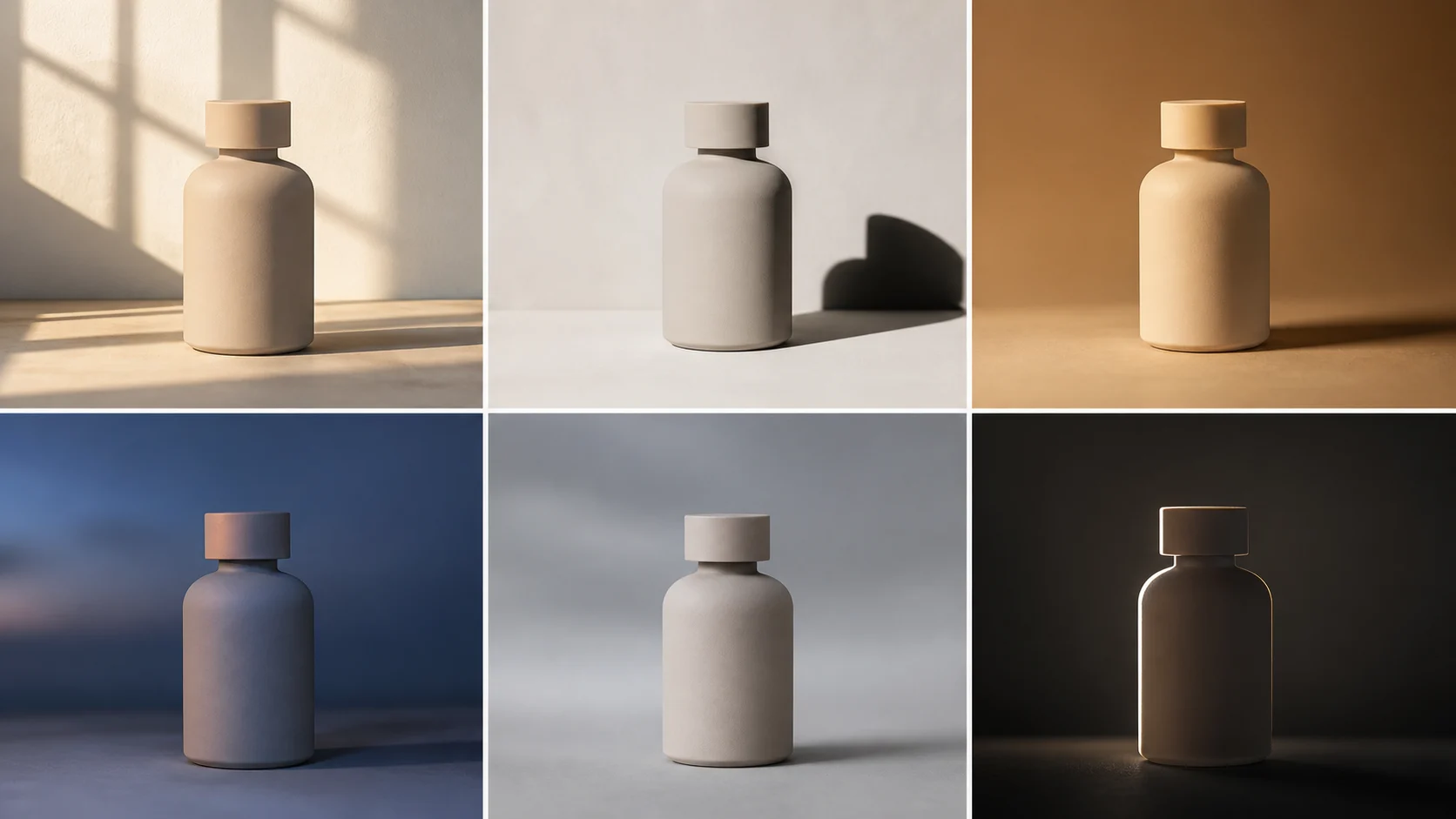
Use the permitted reference [product] as the visual source. Preserve its visible shape, color, material, and construction. Place it on a light oak surface near a large window, soft morning light, realistic contact shadow, three-quarter ecommerce crop. Do not add features, logos, accessories, or text not present in the reference.
Review the output against the real product. A visually persuasive image that changes a closure, port, material, or included item is not ready for a listing.
3. Social campaign background
Vertical 4:5 campaign background for [topic], one central [object] on a muted [brand-color] surface, soft directional studio light, clear empty upper third for later headline design, simple editorial composition, no text, price, rating, logo, or unsupported claim.
Review whether the visual has useful negative space and survives a real mobile crop. Add production typography separately.
4. Material still life
Close photograph of a handmade ceramic mug on linen cloth, visible speckled glaze and slight rim irregularity, soft window light from behind and left, small realistic shadow, neutral background, tactile 3:2 editorial crop, no lettering.
Review material behavior: glaze, fabric, shadow, perspective, and the degree of artificial smoothing.
5. Interior with physical logic
Quiet modern living room from standing eye level, late-afternoon sunlight through linen curtains, warm light and soft long shadows across an oak floor, matte plaster walls, woven chair, a few ordinary lived-in objects, wide 16:9 interior photograph, straight vertical lines, believable exposure.
Review geometry, scale, shadow direction, furniture logic, and whether the composition leaves space for the planned placement.
6. Educational illustration base
A clean editorial illustration showing a simple process from idea to finished image, three abstract but readable objects connected by a single path, warm coral, forest green, and off-white palette, clear hierarchy, square 1:1 composition, no words, numbers, logos, or copied artwork.
Review visual hierarchy and editability. Build the final information graphic in a layout tool so labels, source notes, and accessibility remain accurate.
How to run a useful tool trial
Make the evaluation repeatable. Create a small sheet with the prompt, date, reference materials, output link or file, selection, and a short reason for approval or rejection. Score only the criteria that matter to the job, such as:
- fidelity to an approved reference;
- clarity at the destination crop;
- believable light, scale, and materials;
- ability to make a targeted revision;
- reviewability by a brand, legal, or product owner;
- current access, policy, and export fit confirmed from official sources.
Do not score one tool as universally “better” because it makes a striking landscape. A team selling a physical product may value accurate reference handling more than a dramatic style. A content team creating social concepts may value fast iteration and layout space instead.
Free access is a workflow question
“Free AI image generator” can mean several things: a free tier, introductory allowance, account-based access, a trial, or a product that changes its available limits over time. Do not imply that any option is unlimited, requires no account, or permits every kind of use without verifying the current terms.
Start with the smallest realistic test. Make one image that has a clear destination, review it, and decide whether the workflow saves time. If your work will be public, commercial, regulated, or tied to a real person or product, verify provider rules and obtain the appropriate approvals before shipping the asset.
For product-specific prompt patterns, see AI product photo prompts for ecommerce. For an alternate naming and prompting context, see the Gemini image generator guide. When you have a brief ready, start an image workflow in Imagine.
FAQ
What is the best Midjourney alternative?
There is no single best choice for every project. Select candidates based on the image type, reference accuracy, review process, current access and terms, and how much control the final asset needs.
Is there a free Midjourney alternative?
Some image products may offer a free tier, trial, or limited access at a given time. Check the provider’s official page for the current availability, account requirements, usage limits, and rights before depending on it.
Can I use a free AI image generator for commercial work?
Commercial use depends on the current provider terms and your own source materials. Confirm the terms, avoid infringing references, keep approval records, and review any image that depicts a real product, person, or claim.
How should I compare image generators fairly?
Use the same short prompt and the same permitted reference materials. Compare outputs against a written acceptance standard: fidelity, crop, light, materials, editability, and approval requirements.
Is Nano Banana the same as Gemini?
Searchers use “Nano Banana” alongside Gemini-related terms, but product names, model availability, and integrations can change. Use current Google documentation for the exact product or model relationship at the time you publish.
Put the workflow into practice
Create a focused first image
Start with included credits, keep the prompt and references together, and refine the result in your private Imagine workspace.
Open Imagine