Explore

Technology AI image prompts

Browse 15 reusable Technology prompt examples and send any direction into Imagine.

Japanese AI Keyboard App Store Poster
lifestyle photorealistic portrait

Japanese AI Keyboard App Store Poster

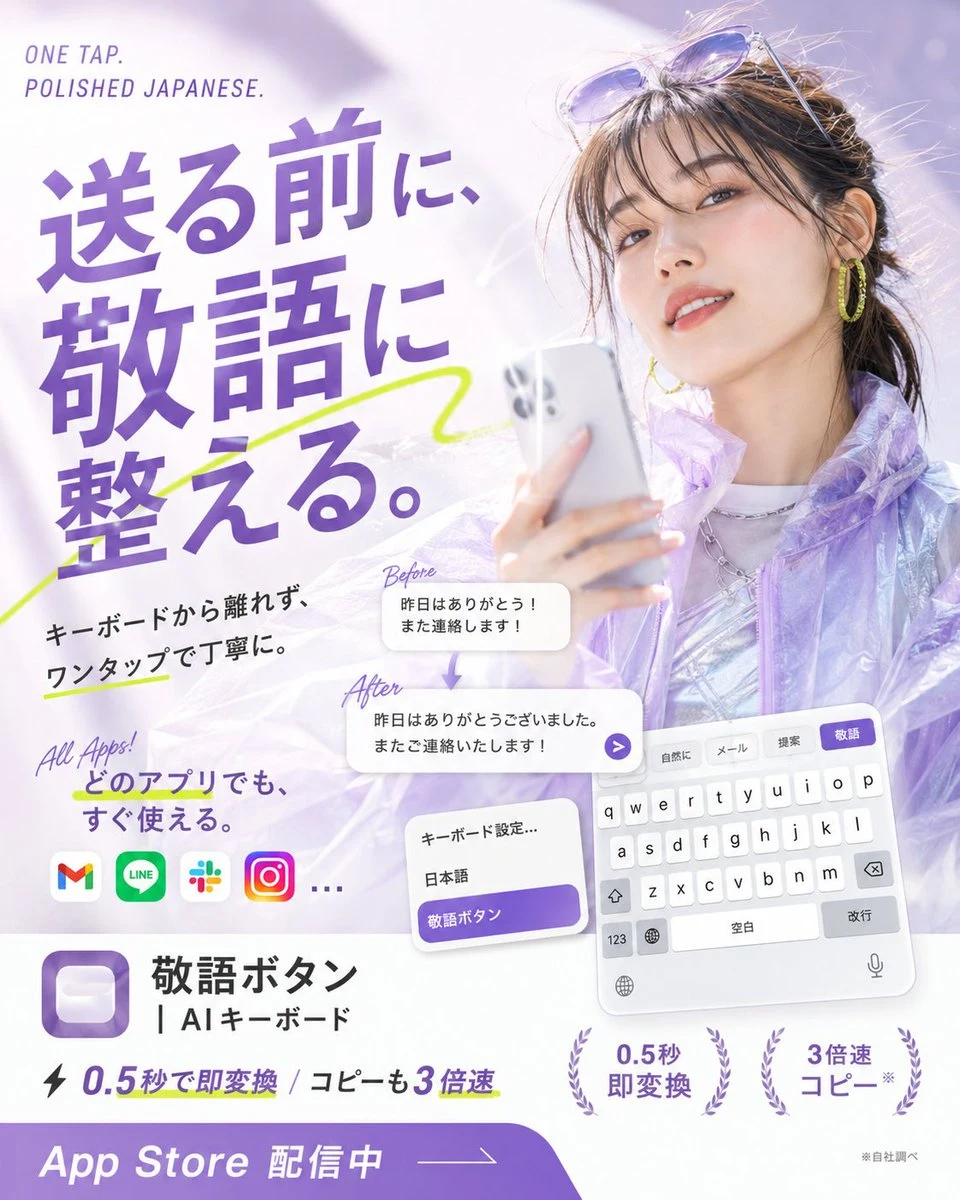
Goal: Create a glossy Japanese App Store promotional poster for an AI keyboard app that converts casual Japanese into polite keigo with one tap, combining fashion photography, app UI mockups, and bold typography. Canvas: Square 1:1 poster, bright white and lavender palette, high-key lighting, soft bokeh, airy translucent gradients, polished mobile-app advertising style. Main visual: On the right half, show a stylish young Japanese woman holding a silver smartphone, photographed like a beauty/fashion ad. She has dark brown hair tied back with loose bangs, sunglasses resting on her head, yellow hoop earrings, subtle makeup, a slight smile, and a translucent iridescent lavender jacket over a shiny silver top. Use a dreamy pale purple background with soft light flares. Headline and text layout: On the upper left, place small English text “ONE TAP. POLISHED JAPANESE.” Above the main copy. The largest Japanese headline should dominate the left side in bold purple type: {argument name="headline text" default="送る前に、敬語に整える。"} Add a neon yellow-green hand-drawn underline/swoosh crossing behind the headline. Supporting copy: Below the headline, add black Japanese body text: {argument name="supporting copy" default="キーボードから離れず、ワンタップで丁寧に。"} Add a handwritten purple note “All Apps!” and Japanese text {argument name="all apps text" default="どのアプリでも、すぐ使える。"} App compatibility row: Show exactly 4 recognizable rounded app icons plus an ellipsis: Gmail, LINE, Slack, Instagram, then “…”. Transformation example: In the center-lower area, show exactly 2 rounded white message cards connected by a small downward purple arrow. The top card is labeled “Before” in handwritten purple script and contains: {argument name="before message" default="昨日はありがとう!また連絡します!"} The bottom card is labeled “After” and contains: {argument name="after message" default="昨日はありがとうございました。またご連絡いたします!"} Add a small purple circular send arrow button at the right edge of the after card. Keyboard UI mockups: In the lower right, show a tilted iPhone-style Japanese keyboard panel with exactly 4 suggestion tabs at the top labeled “自然に”, “メール”, “提案”, and highlighted purple “敬語”. Include white QWERTY keys, space bar labeled “空白”, return key labeled “改行”, globe, microphone, and number key. Near it, show a smaller settings card with exactly 3 rows: “キーボード設定…”, “日本語”, and a purple highlighted row “敬語ボタン”. App identity block: In the lower left, display a purple rounded-square app icon with a soft white keycap-like button inside. To its right, write the app name in Japanese: {argument name="app name" default="敬語ボタン"} and the subtitle “| AIキーボード”. Feature claims: Along the bottom middle, include a lightning icon and the text “0.5秒で即変換 / コピーも3倍速”. Add exactly 2 laurel-badge claims on the lower right: “0.5秒 即変換” and “3倍速 コピー*”. Add tiny footnote text “※自社調べ”. Bottom call-to-action: A thick purple curved banner spans the bottom edge with large white text “App Store 配信中” and a thin arrow line pointing right. Visual style: Premium Japanese startup ad, clean editorial layout, bold purple typography, soft shadows, translucent glassmorphism cards, energetic lime marker accents, crisp readable UI text, no watermark, no extra logos beyond the specified app icons.
Dark Mode Dictionary App UI Mockup
technology education minimalist

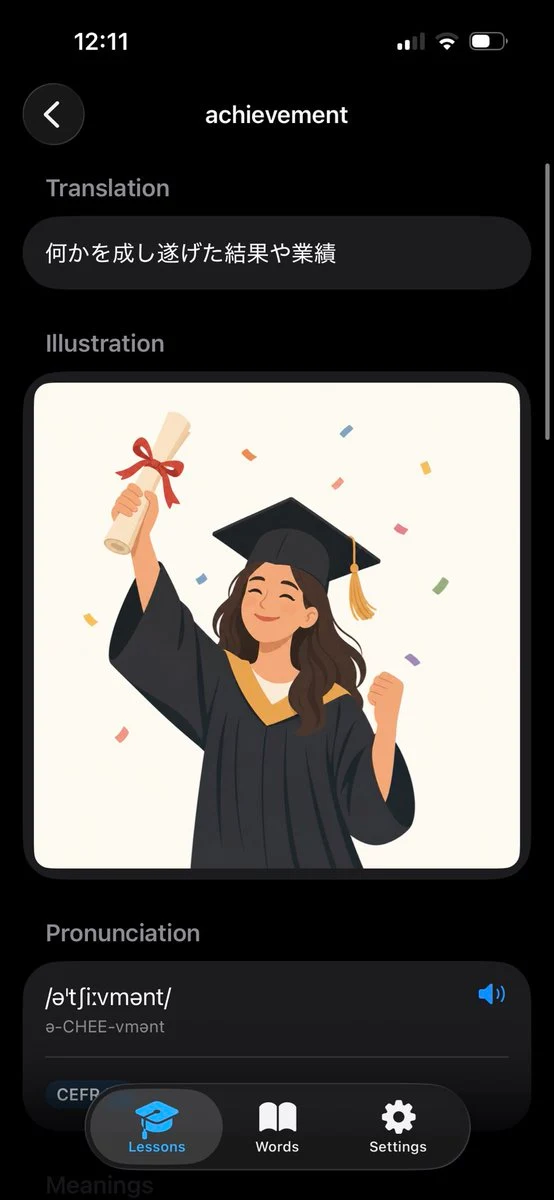
Dark Mode Dictionary App UI Mockup

Goal: Create a realistic iPhone screenshot of a sleek dark-mode English dictionary/vocabulary learning app showing the entry for {argument name="word" default="achievement"}. Canvas: Vertical smartphone screen, 9:16 aspect ratio, black background, iOS-style status bar at the top showing 12:11 on the left and cellular/Wi‑Fi/battery icons on the right. Use rounded cards, soft shadows, and a modern minimal UI. Layout: Top navigation has exactly 2 elements: a circular dark back button with a white left chevron on the upper left, and the centered page title “achievement” in white. A thin vertical scroll indicator appears along the right edge. Sections: Show exactly 4 visible content sections in this order: 1) Translation, 2) Illustration, 3) Pronunciation, 4) a partially visible Meanings header at the bottom. Section labels are muted gray, bold, and left aligned. Text content: Under “Translation,” place one rounded dark pill card containing the Japanese text {argument name="translation text" default="何かを成し遂げた結果や業績"}. Under “Pronunciation,” create one large rounded dark card with the phonetic spelling {argument name="phonetic text" default="/əˈtʃiːvmənt/"}, the readable pronunciation “ə-CHEE-vmənt,” a blue speaker icon on the right, a thin divider line, and a small rounded “CEFR” tag near the lower left. Illustration: In the Illustration section, place one large rounded rectangle image card with an off-white background. Inside it, draw a cheerful young graduate woman in a black graduation gown and mortarboard with a gold tassel, smiling with eyes closed. She raises a rolled diploma tied with a red ribbon in her left hand and clenches her right fist in celebration. Add colorful rectangular confetti around her. Use a flat vector illustration style, warm colors, clean edges, and no text inside the illustration. Bottom navigation: Overlay a floating rounded black tab bar at the bottom with exactly 3 tabs: “Lessons” with a blue graduation-cap icon and highlighted gray pill background, “Words” with a white open-book icon, and “Settings” with a white gear icon. The tab bar partially covers the pronunciation card and the faint “Meanings” header. Visual style: High-fidelity mobile app mockup, dark theme, iOS proportions, rounded corners, subtle gradients, white and gray typography, blue accent color, polished product screenshot. Avoid extra words, extra icons, watermarks, or browser chrome.

Augmented Reality Music Player Interface
lifestyle outdoor photorealistic

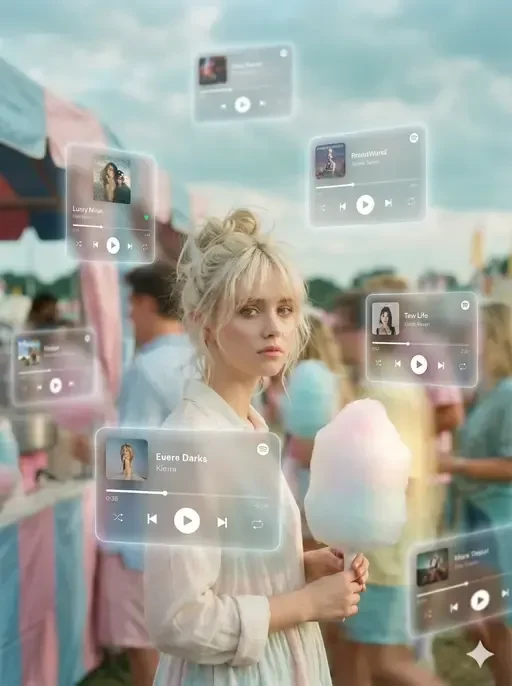
Augmented Reality Music Player Interface

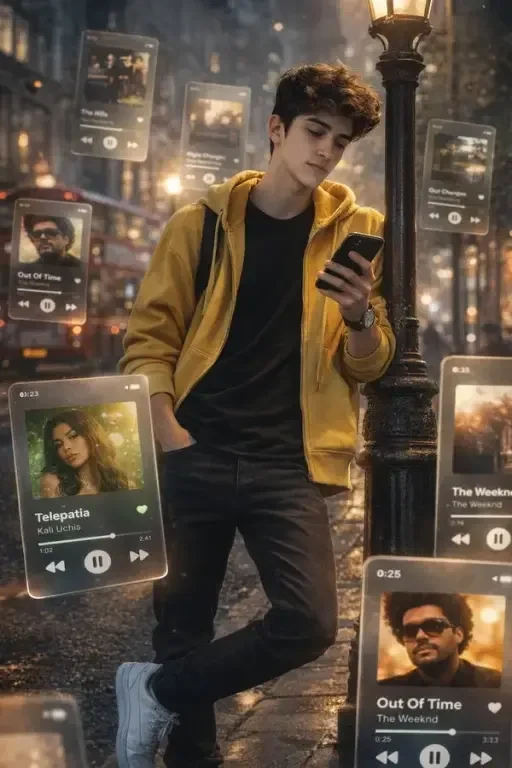
A dreamlike, movie-quality augmented reality visual where numerous hovering Spotify player interface cards orbit the person from the attached photo in a complete 3D spatial composition — keep their facial identity exactly as in the photo, do not change any facial features. Each music player card is strategically placed at varying distances, some prominently positioned in front and partially covering the person, while others float behind and alongside them, utilizing the authentic Apple Music UI/Spotify UI elements playback progress indicators and featuring songs by [Artist Name]; all cards display smooth rounded edges with subtle angular perspective shifts, presenting a translucent, frosted-glass aesthetic that radiates a gentle diffused border luminescence with measured cinematic light bloom interacting organically with the ambient lighting of the scene; the composition showcases a cool-to-neutral color palette with rich yet preserved shadow detail, strategic bursts of color from album artwork, medium-high contrast levels with gradual highlight transitions, delicate focal depth variation where nearer cards maintain crisp detail while farther ones receive gentle blur treatment, and understated motion-enhancing accents, all while keeping the person photorealistic, centrally positioned, and authentically integrated into their physical surroundings.

augmented reality music interface london street
lifestyle outdoor photorealistic

augmented reality music interface london street

A Subject: the person from the attached reference photo — keep their facial identity and natural skin tone exactly as in the photo, do not change any facial features. dreamlike, movie-quality augmented reality visual where numerous hovering Spotify player interface cards orbit the central figure (the person shown), the person is leaning a street light lamp on street, holding a phone and looking at phone in a complete 3D spatial composition, with each music player card strategically placed at varying distances, some prominently positioned in front and partially covering the subject, while others float behind and alongside them, utilizing the authentic Apple Music UI/Spotify UI elements playback progress indicators and featuring songs by [Artist Name]; all cards display smooth rounded edges with subtle angular perspective shifts, presenting a translucent, frosted-glass aesthetic that radiates a gentle diffused border luminescence with measured cinematic light bloom interacting organically with the ambient lighting of the scene; the composition showcases a cool-to-neutral color palette with rich yet preserved shadow detail, strategic bursts of color from album artwork, medium-high contrast levels with gradual highlight transitions, delicate focal depth variation where nearer cards maintain crisp detail while farther ones receive gentle blur treatment, and understated motion-enhancing accents, all while keeping the subject photorealistic, centrally positioned, and authentically integrated into their physical surroundings. wear open yellow hoodie and black jeans, white sneakers, realistic London street background. Create a HD photo in 9:16

SaaS Dashboard Laptop Mockup
lifestyle photorealistic natural-light

SaaS Dashboard Laptop Mockup

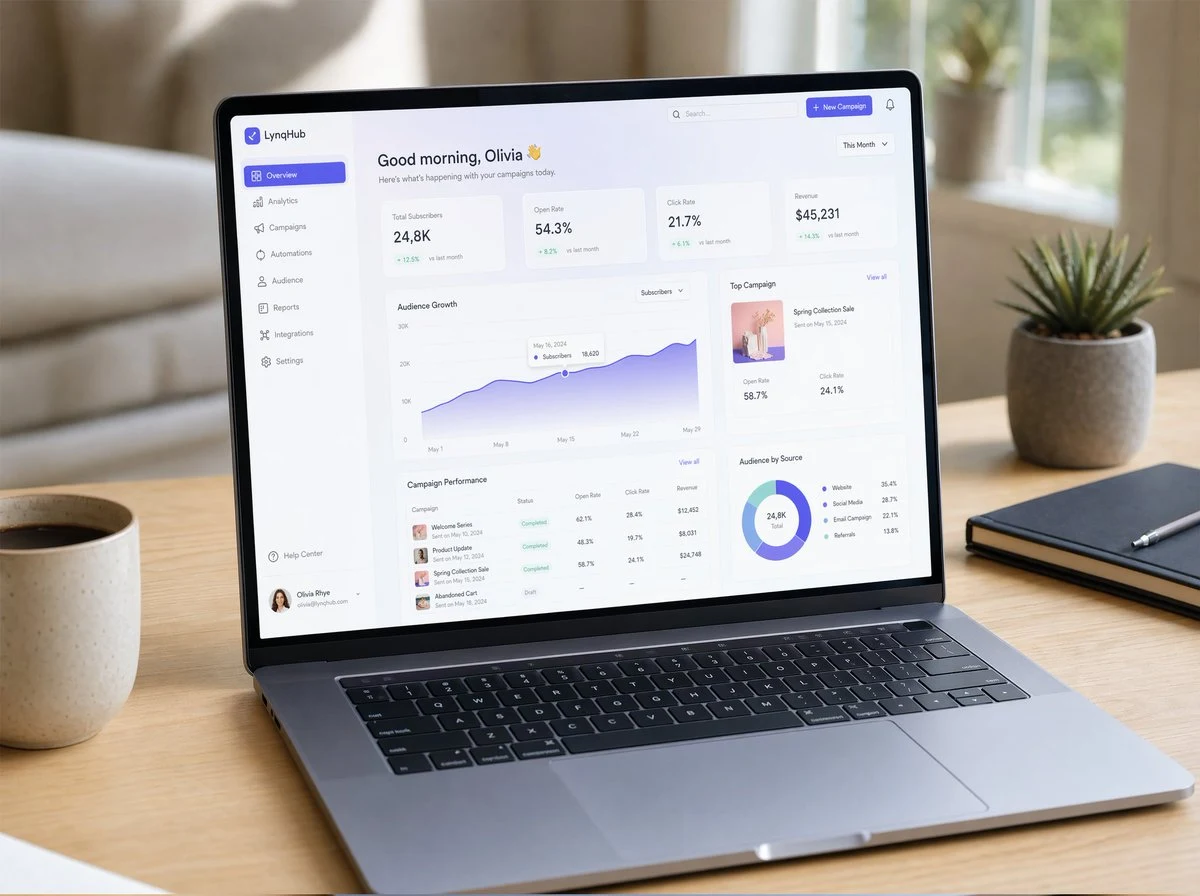
A hyper-realistic UI/UX mockup displayed on a slim modern laptop placed on a minimal wooden desk with soft natural daylight. The screen shows a clean SaaS dashboard with elegant typography, glassmorphism cards, smooth gradients, subtle drop shadows, and neatly spaced components. Visible charts, analytics panels, sidebar navigation, and micro-interactions. Realistic macOS-style window frame, soft reflections on the screen, shallow depth of field, cozy workspace atmosphere, shot in photorealistic product photography style, ultra-detailed.

professor explaining complex concepts on whiteboard
vibrant-color concept-art diagram

professor explaining complex concepts on whiteboard

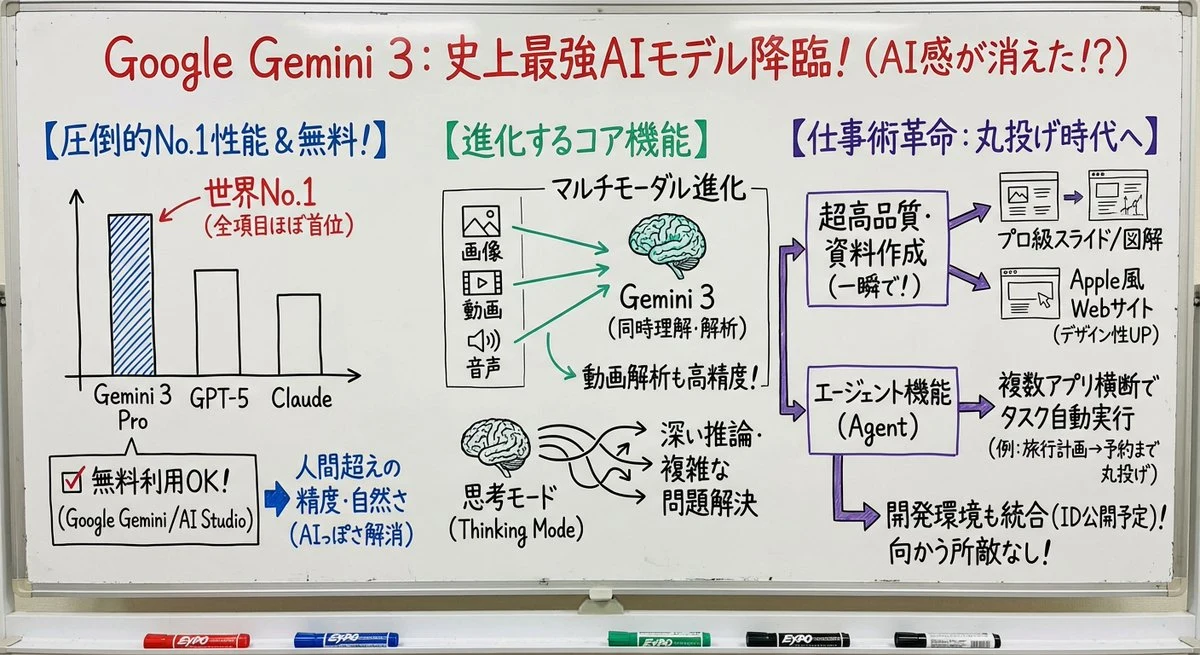
nano banana proを使って日本語にて教授がホワイトボードで説明しているイメージに変換してください。図や矢印、ボックス、キャプションを使って、コアとなるアイデアを視覚的に説明してください。色も使ってください。

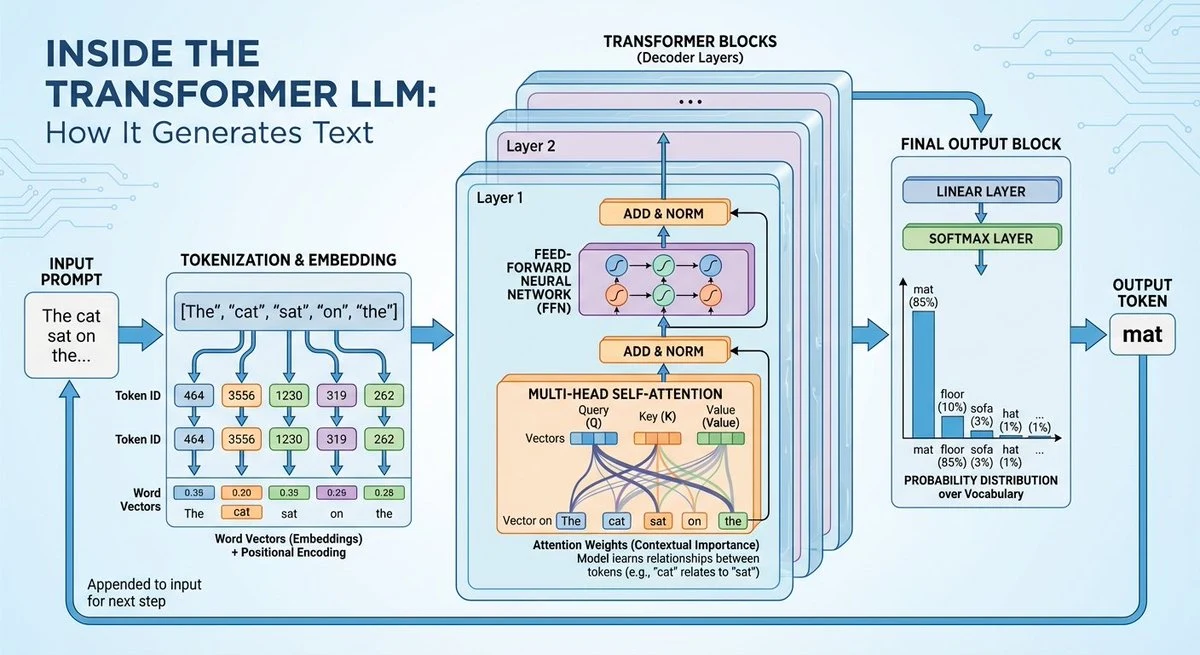
transformer llm architecture diagram
diagram infographic technology

transformer llm architecture diagram

GENERATE A DIAGRAM OF SPACE SHUTTLE IN SPACE

AI Developer Workspace Concept Portrait
lifestyle photorealistic cinematic

AI Developer Workspace Concept Portrait

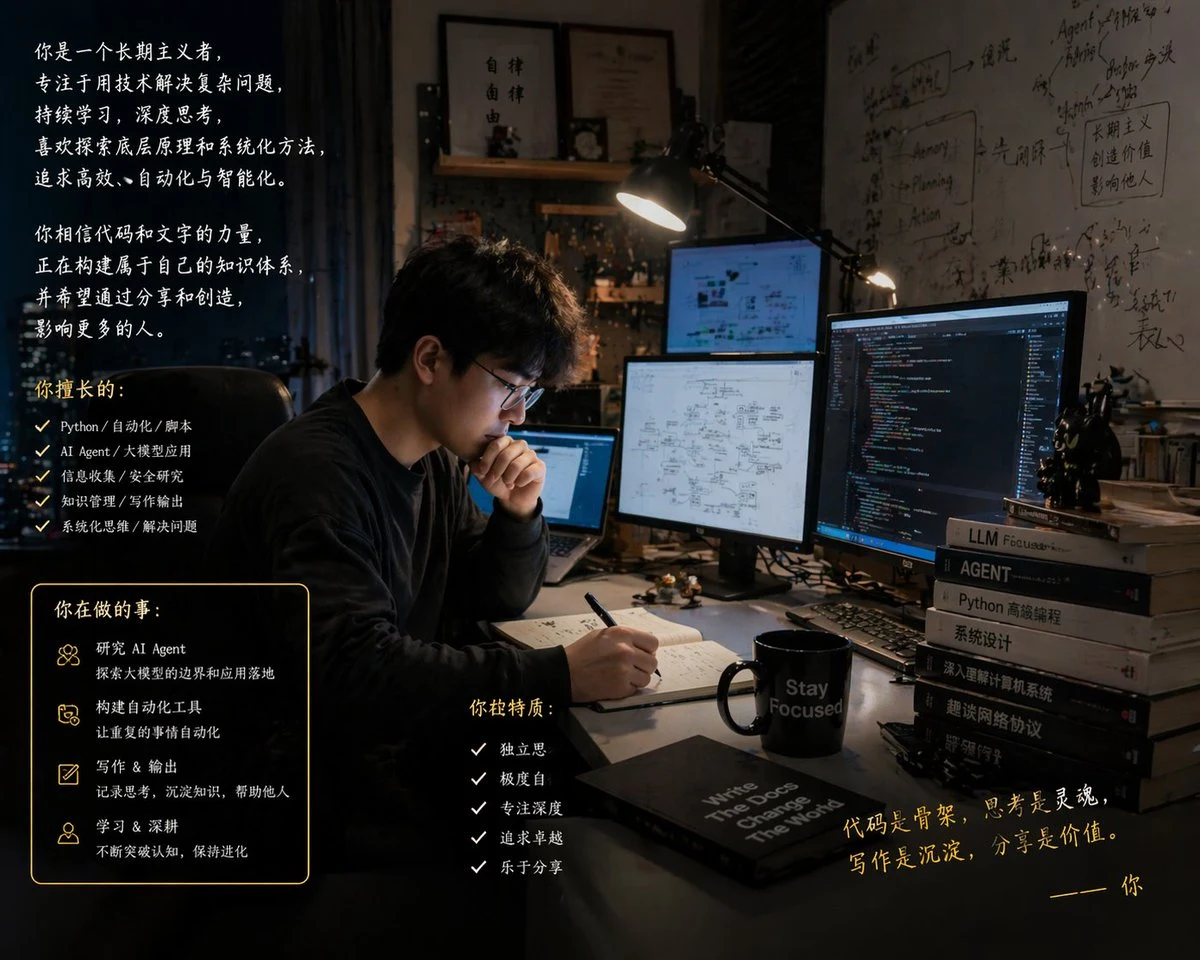
Based on your understanding of me, generate an image of "the me you know."

Android Robot Thermal X-Ray Render
vibrant-color concept-art technology

Android Robot Thermal X-Ray Render

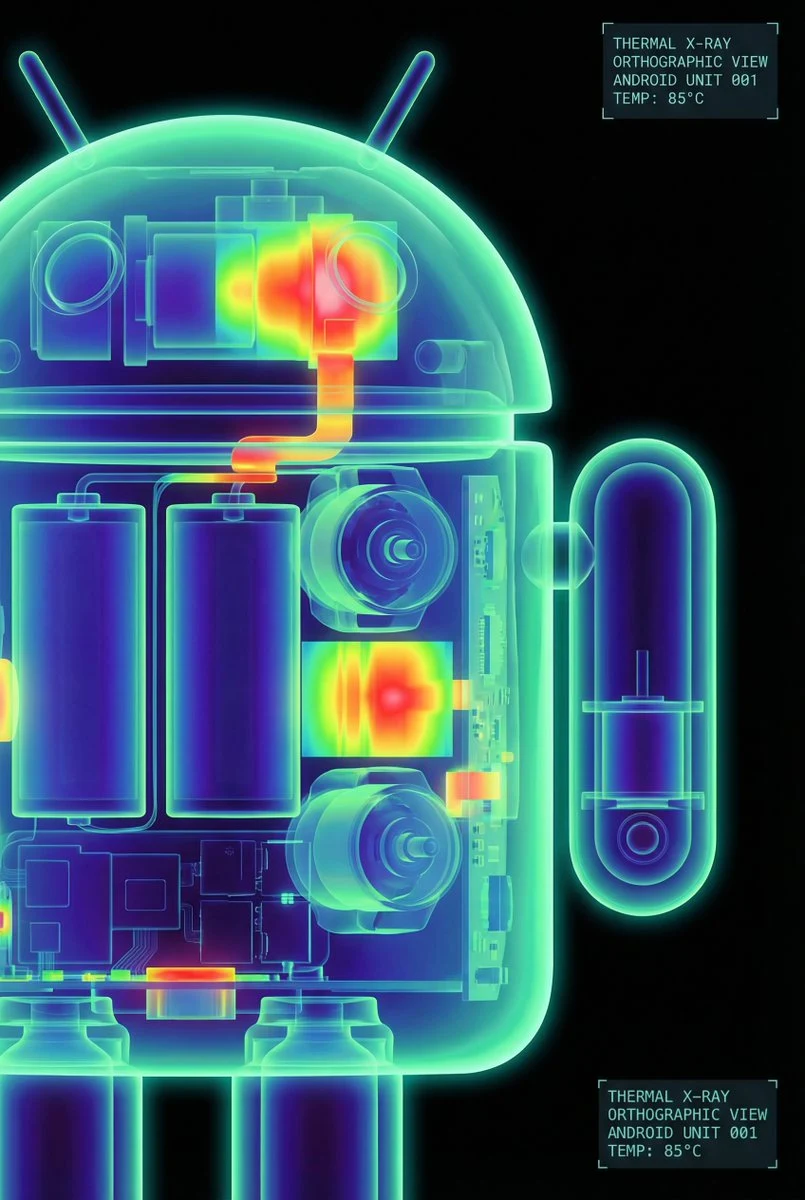
The Google Android robot, presented in a high-contrast scientific studio render against a pure black void. This tight right-side profile features a false-color thermal X-ray aesthetic, where the transparent shell reveals a sharply detailed internal architecture of batteries, drivers, and sensors using a vibrant heatmap gradient. The colors shift from deep cool blues to intense yellows and red highlights, creating a futuristic, clinical look with orthographic perspective and a soft, neon-like glow.

stylized humanoid mech concept art
concept-art technology 3d-render

stylized humanoid mech concept art

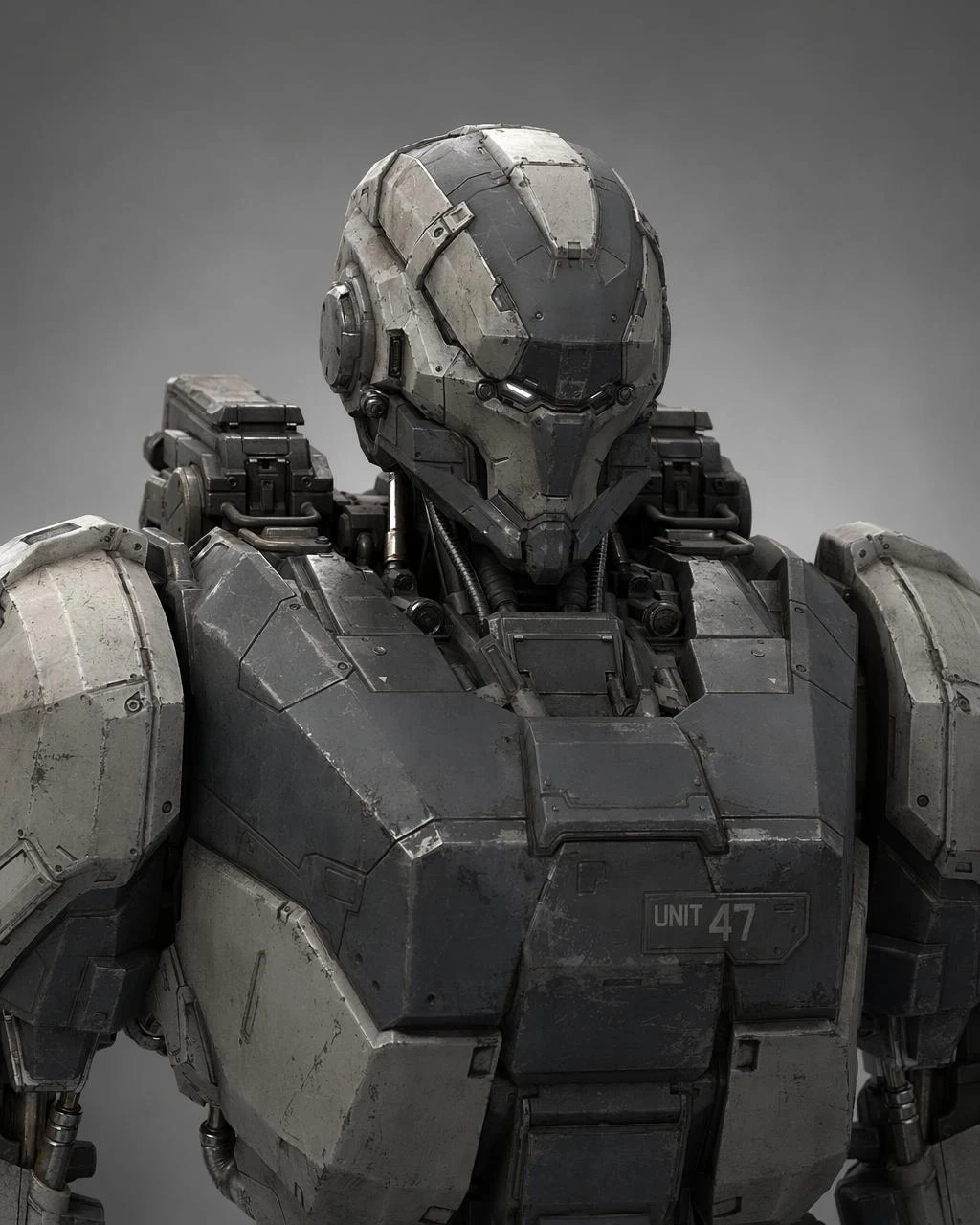
Create a concept art style 3D render of a humanoid mech from the chest up, armor plates with subtle scratches and weathering. Neutral lighting from three points, matte metal, oily seams, a small identifier panel that reads UNIT 47. Rendered against a soft grey studio environment. No watermark.

Cybernetic Prosthetic Arm Concept Art
concept-art technology 3d-render

Cybernetic Prosthetic Arm Concept Art

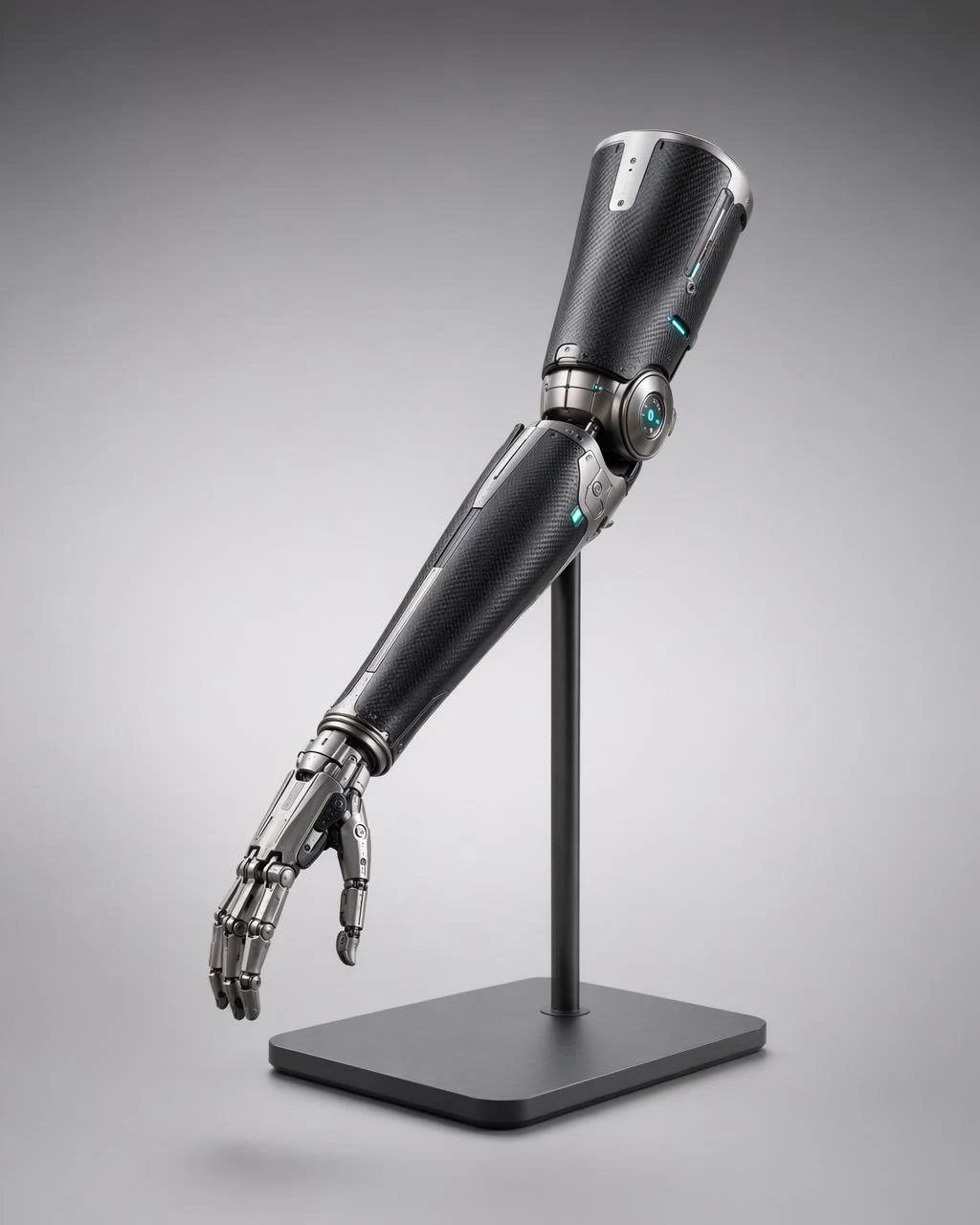
Create a concept art 3D render of an elegant cybernetic prosthetic forearm: matte carbon fiber shell with brushed titanium joints, subtle teal status LEDs at the elbow. Displayed on a simple neutral stand, studio three point lighting, soft shadow. Clean editorial feel, no gore, no horror. No watermark.

Technical Exploded View Drone Diagram
concept-art diagram technology

Technical Exploded View Drone Diagram

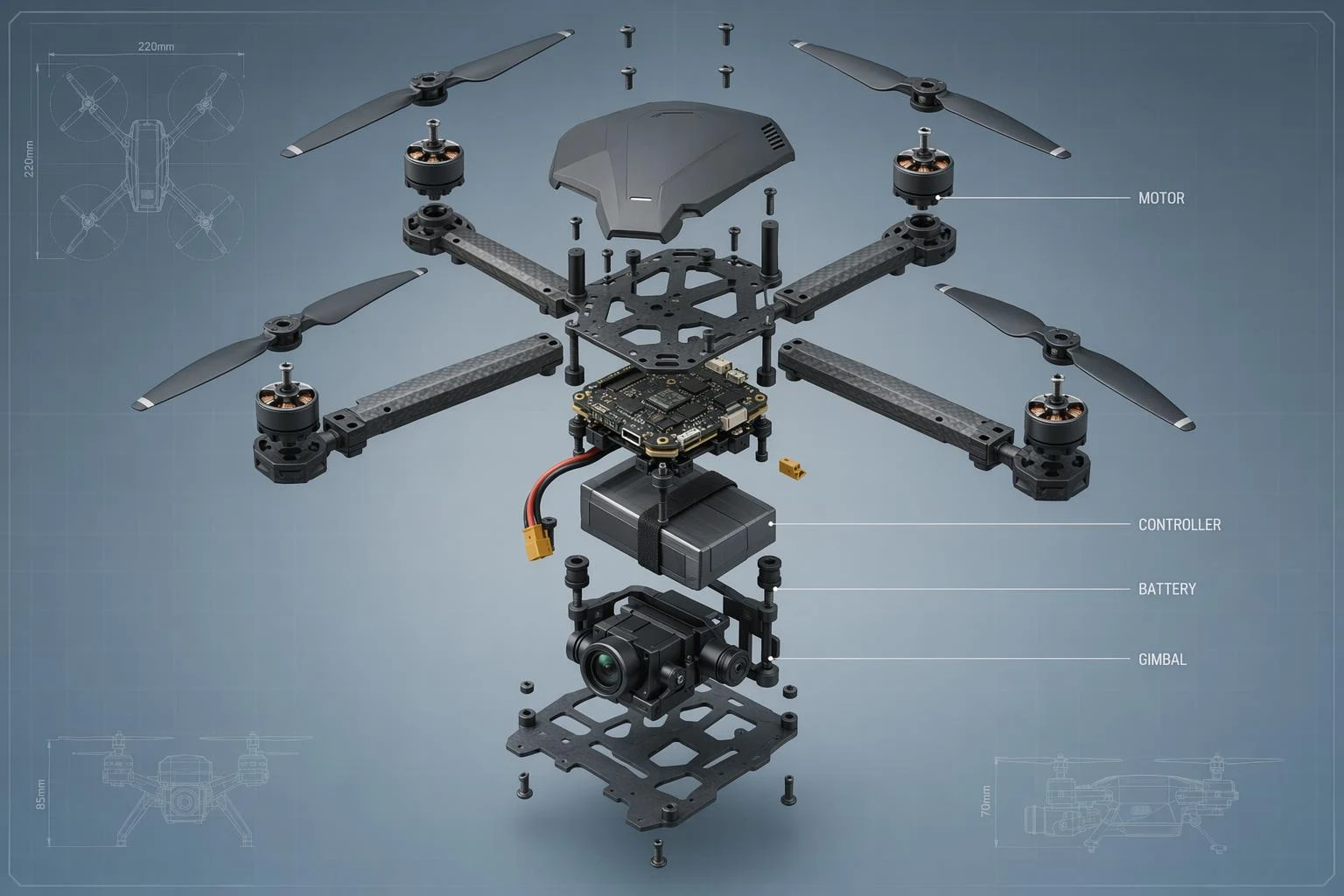
Create a technical CGI exploded view diagram of a compact quadcopter drone, each component floating in arranged 3D space: rotors, motor mounts, battery, camera gimbal, frame. Subtle thin leader lines to labels in small caps: MOTOR, GIMBAL, BATTERY, CONTROLLER. Cool neutral backdrop, blueprint feel. No watermark.

E-commerce Live Stream UI Mockup
photorealistic portrait social-media

E-commerce Live Stream UI Mockup

{ "type": "live stream UI mockup", "subject": { "description": "portrait of {argument name=\"host name\" default=\"Elon Musk\"}, smiling, wearing a black t-shirt with a white technical schematic graphic", "background": "left side shows a screen with '{argument name=\"left background logo\" default=\"SPACEX\"}' text, right side shows a red '{argument name=\"right background logo\" default=\"Tesla T logo\"}' and a dark car" }, "ui_overlay": { "top_header": { "host_info": "avatar, name '{argument name=\"host name\" default=\"Elon Musk\"}', subtext '55.6万本场点赞', red '关注' button", "rank_badge": "gold coin icon with '全站第1名'", "viewer_stats": "3 top viewer avatars with '12.3w', '8.6w', '5.7w', total '68.7万', 'X' close button", "right_links": "'更多直播 >', '礼物展馆 0/24' with blue '经典' tag" }, "mid_left_gifts": { "count": 2, "items": [ "avatar '科技爱好者', '送小心心', heart icon x 1314", "avatar '星辰大海', '送火箭', rocket icon x 666" ] }, "bottom_left_chat": { "system_message": "level 37 badge '宇宙漫游者 加入了直播间'", "message_count": 7, "messages": [ "小火箭: 马斯克!未来可期!🚀", "future: 特斯拉Model 2什么时候出?", "星空梦想家: SpaceX今年能上火星吗?", "AI探索者: Neuralink进展如何?", "帅气的网友: 马总好!", "Mars: 第一次来你的直播,超激动!", "用户123: 讲讲AI吧,会取代人类吗?" ] }, "bottom_right_product_card": { "hot_tag": "orange '热卖 x 1888'", "image": "Tesla Cybertruck", "title": "{argument name=\"product name\" default=\"特斯拉Cybertruck 电动皮卡\"}", "price": "{argument name=\"product price\" default=\"¥ 1,618,000\"}", "button": "red '抢' button", "floating_animation": "translucent hearts floating up the right edge" }, "bottom_bar": { "input_field": "'说点什么...'", "icons": ["smiley face", "three dots", "shopping cart", "gift box", "share"] } } }

vr headset exploded view product diagram poster
diagram technology 3d-render

vr headset exploded view product diagram poster

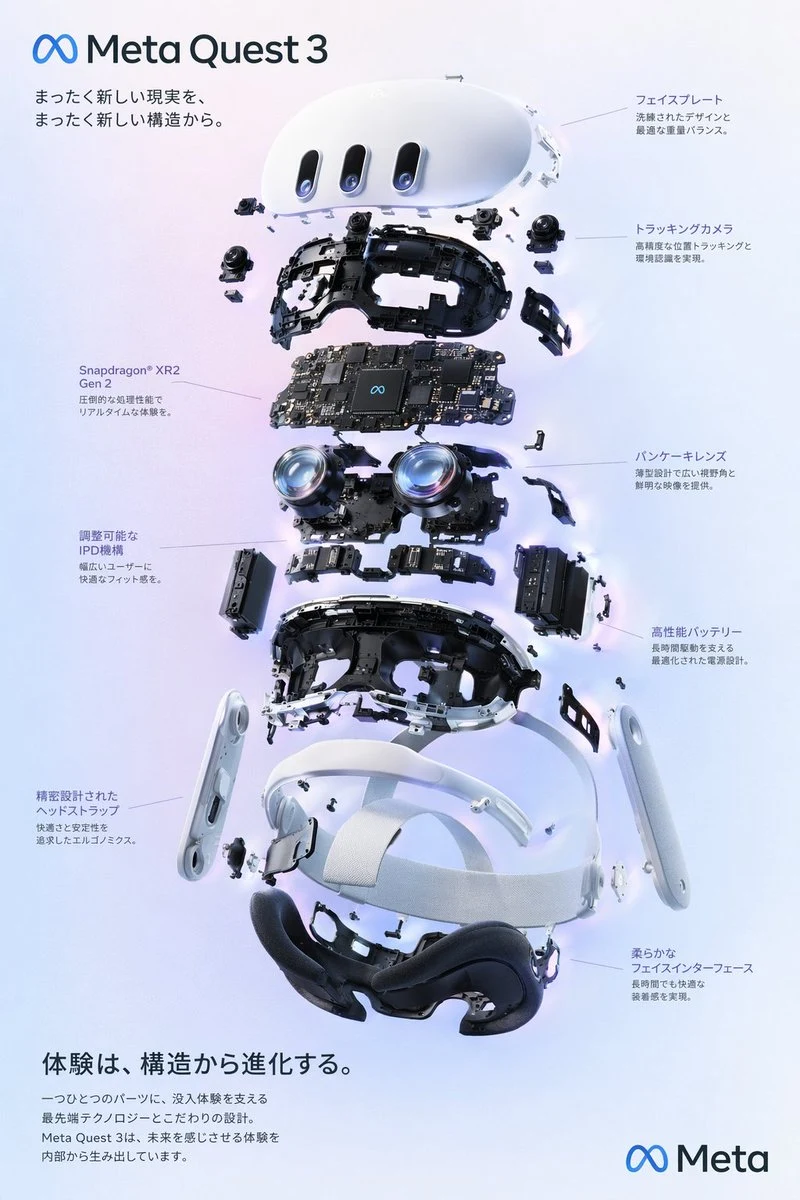
{ "type": "exploded view product diagram poster", "subject": "VR headset", "style": "clean high-tech 3D render, studio lighting, glowing accents", "background": "{argument name=\"background color\" default=\"soft purple and blue gradient\"}", "header": { "logo": "∞ {argument name=\"product name\" default=\"Meta Quest 3\"}", "subtitle": "{argument name=\"main catchphrase\" default=\"まったく新しい現実を、まったく新しい構造から。\"}" }, "layout": { "centerpiece": "vertically stacked exploded view of a VR headset showing 9 distinct layers of internal components: outer shell, camera sensors, motherboard with chip, pancake lenses, internal frame, battery packs, side straps, top strap, and facial interface cushion.", "callout_labels": { "count": 8, "left_side": [ "Snapdragon® XR2 Gen 2\n圧倒的な処理性能でリアルタイムな体験を。", "調整可能なIPD機構\n幅広いユーザーに快適なフィット感を。", "精密設計されたヘッドストラップ\n快適さと安定性を追求したエルゴノミクス。" ], "right_side": [ "フェイスプレート\n洗練されたデザインと最適な重量バランス。", "トラッキングカメラ\n高精度な位置トラッキングと環境認識を実現。", "パンケーキレンズ\n薄型設計で広い視野角と鮮明な映像を提供。", "高性能バッテリー\n長時間駆動を支える最適化された電源設計。", "柔らかなフェイスインターフェース\n長時間でも快適な装着感を実現。" ] }, "footer": { "left_text_block": { "headline": "{argument name=\"bottom headline\" default=\"体験は、構造から進化する。\"}", "body": "一つひとつのパーツに、没入体験を支える最先端テクノロジーとこだわりの設計。Meta Quest 3は、未来を感じさせる体験を内部から生み出しています。" }, "right_logo": "∞ Meta" } } }

image-to-editable-powerpoint
diagram infographic technology

image-to-editable-powerpoint

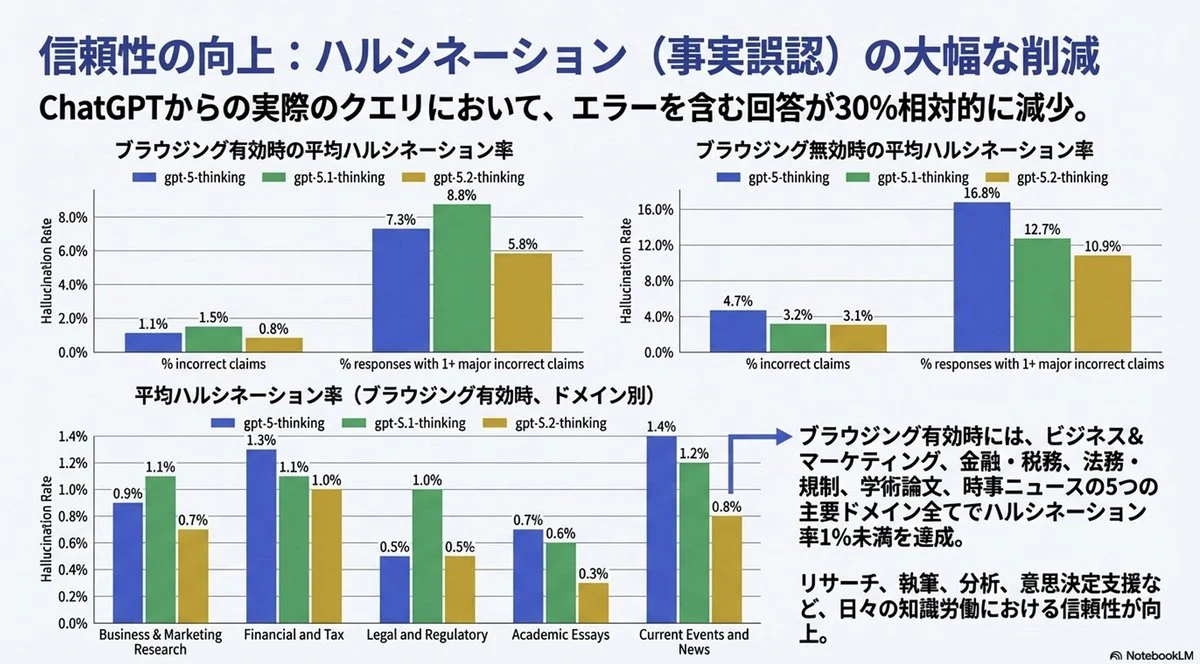
添付の画像を、pptxの1枚のスライドで完全再現してください。 テキストは完全に編集可能な形にし、元の画像にある図やグラフは切り抜いて(クロップして)そのまま利用してください。